Enhanced company branding in Link

We've expanded the branding options available for LinkLink The authorization flow that allows end users to connect their accounting, banking, or commerce platforms to your application via Codat., making it easier than ever to deliver a fully branded, white-label authorization experience that feels like a native part of your product.
What's new?
We've added several new branding settings that give you greater control over how Link looks and feels to your customers. These updates are designed to help you create a seamless, trusted connectionConnection A link between a Codat company and a data source (like an accounting platform). Each connection represents authorized access to pull or push data from that platform. experience that reinforces your brand at every step.
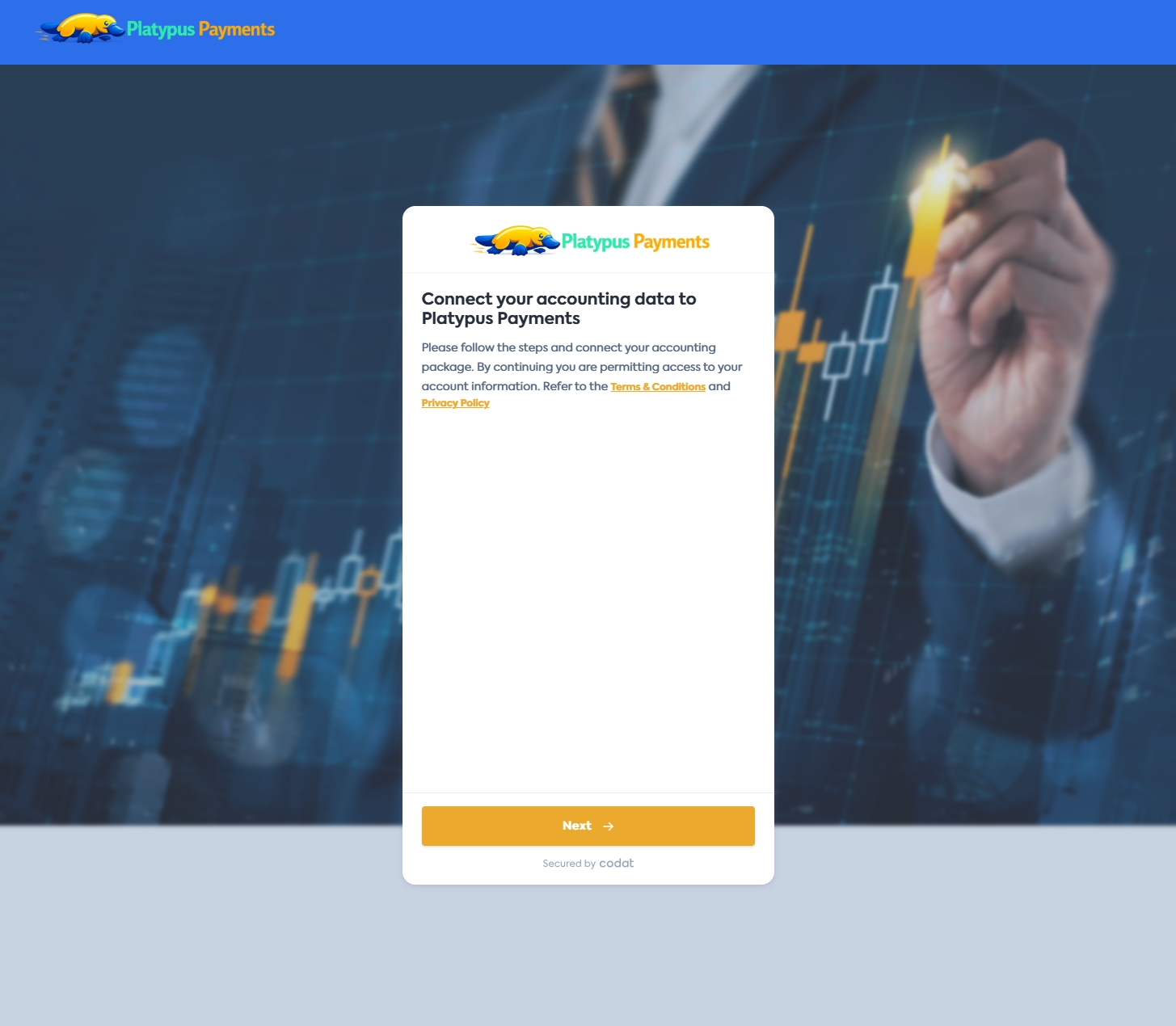
CompanyCompany In Codat, a company represents your customer's business entity. Companies can have multiple connections to different data sources. logo on landing page
Display your companyCompany In Codat, a company represents your customer's business entity. Companies can have multiple connections to different data sources. logo prominently on the first screen your customers see when they connect their data. The logo is pulled from your existing Branding settings and can be toggled in Settings > Auth flow > Link > Onboarding alongside the Landing page setting.
Navigation bar
A new navigation bar toggle adds a branded bar to the top of the LinkLink The authorization flow that allows end users to connect their accounting, banking, or commerce platforms to your application via Codat. flow. The bar uses your secondary brand color, reinforcing your identity throughout the entire journey. Enable this in Settings > Auth flow > Link > Onboarding.
Secondary color
A new secondary color setting lets you define the color of the navigation bar in LinkLink The authorization flow that allows end users to connect their accounting, banking, or commerce platforms to your application via Codat., giving you finer control over the look and feel beyond the primary button color. Configure this in Settings > Auth flow > Branding.
Hero image
You can now upload a hero image that appears as a background in LinkLink The authorization flow that allows end users to connect their accounting, banking, or commerce platforms to your application via Codat., behind the main content area. This lets you set the visual tone of the authorization experience from the moment your customers land on the page. Configure this in Settings > Auth flow > Branding.
Why does this matter?
- Builds trust: Your customers are more likely to connect their financial data when they see familiar branding from the first screen. A recognizable logo and consistent color scheme signals legitimacy and professionalism.
- Improves conversion: A branded, cohesive interface reduces friction and hesitation during the onboarding flow, helping you convert more customers.
- Seamless experience: These settings work together to create a white-label experience that feels less like a third-party tool and more like a native part of your product.
Who is this relevant for?
This update is relevant for all clients using Link to connect their customers' financial data. It's especially valuable if you're looking to improve conversion rates and deliver a polished onboarding experience.
How to get started?
These branding options are available now. To configure them:
- Enable the CompanyCompany In Codat, a company represents your customer's business entity. Companies can have multiple connections to different data sources. logo and Navigation bar toggles in Settings > Auth flow > Link > Onboarding.
- Set your companyCompany In Codat, a company represents your customer's business entity. Companies can have multiple connections to different data sources. logo, secondary color, and hero image in Settings > Auth flow > Branding.
For more details, see our documentation on Branding settings and Link settings.